Exporting Data
Taxlytic lets you export your clients' collected tax data in multiple formats so you can use it in your tax preparation software or keep it for your records.
Export formats
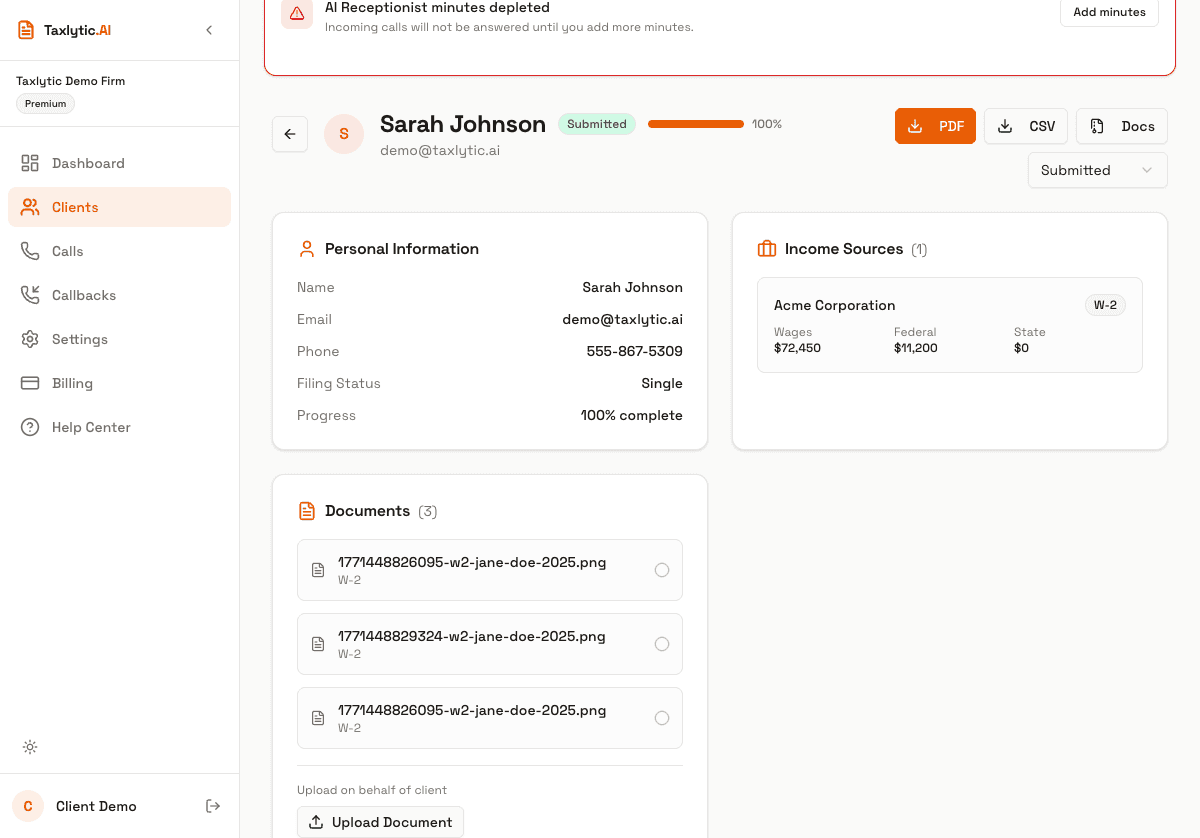
PDF Summary
A formatted PDF document containing all collected data for a client: personal info, income sources, deductions, dependents, and uploaded document summaries. This is ideal for printing or attaching to your client file.
CSV Spreadsheet
A comma-separated values file containing structured data fields. Useful for importing into spreadsheets or other software.
Bulk Export (ZIP)
Export data for multiple clients at once. Select the clients you want to export and download a ZIP file containing individual PDF or CSV files for each client.
How to export
To export a single client, go to their detail page and click the export button. You can choose between PDF and CSV formats.
For bulk exports, go to the Clients page, select multiple clients using the checkboxes, and click the bulk export button that appears.