How the AI Chat Works
Taxlytic's AI assistant replaces traditional tax organizer forms with a natural conversation. Instead of sending clients a 20-page questionnaire, the AI asks questions one at a time, adapts based on their answers, and saves structured data directly to your dashboard.
The intake flow
When a client opens your intake link, the process follows these steps:
- Consent - The client sees your firm name and reviews a brief consent agreement before chatting.
- Personal information - The AI asks for basic details: name, email, phone, filing status, and dependents.
- Income sources - Based on the client's situation, the AI asks about W-2 employment, 1099 freelance work, self-employment (Schedule C), investment income, and more.
- Document upload - When relevant, the AI prompts the client to upload photos of tax documents (W-2, 1099, etc.). The AI automatically extracts the data.
- Deductions and credits - The AI asks about common deductions like mortgage interest, student loans, charitable donations, and medical expenses.
- Review and submit - The client reviews a summary of everything collected and submits their intake.
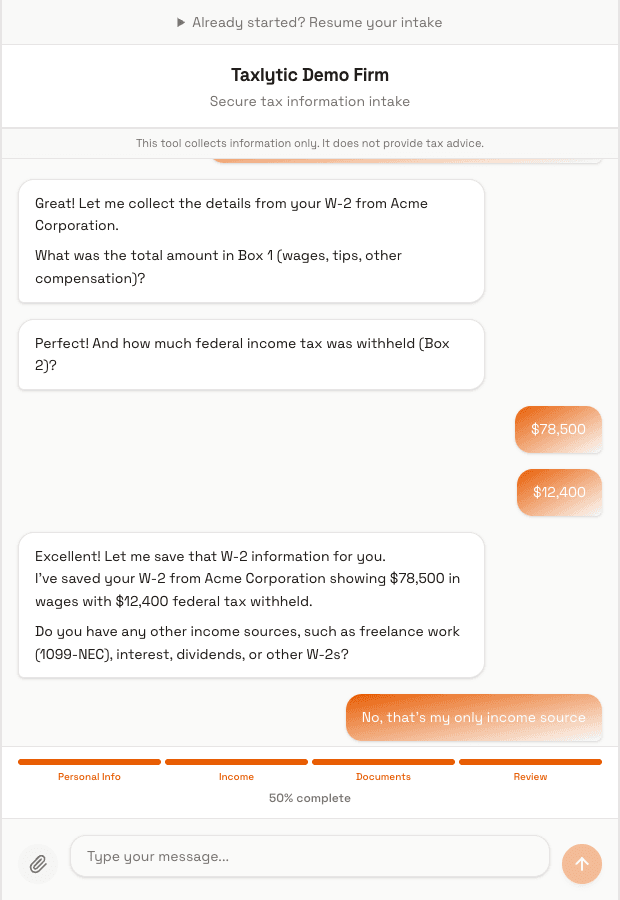
Adaptive questioning
The AI does not follow a rigid script. It adapts based on what the client has already shared. For example:
- If a client mentions freelance work, the AI will ask follow-up questions about self-employment income and business expenses.
- If a client says they are single with no dependents, the AI skips dependent-related questions entirely.
- If a client uploads a W-2, the AI extracts the data automatically and moves on to the next topic instead of asking those questions manually.
Multi-choice buttons
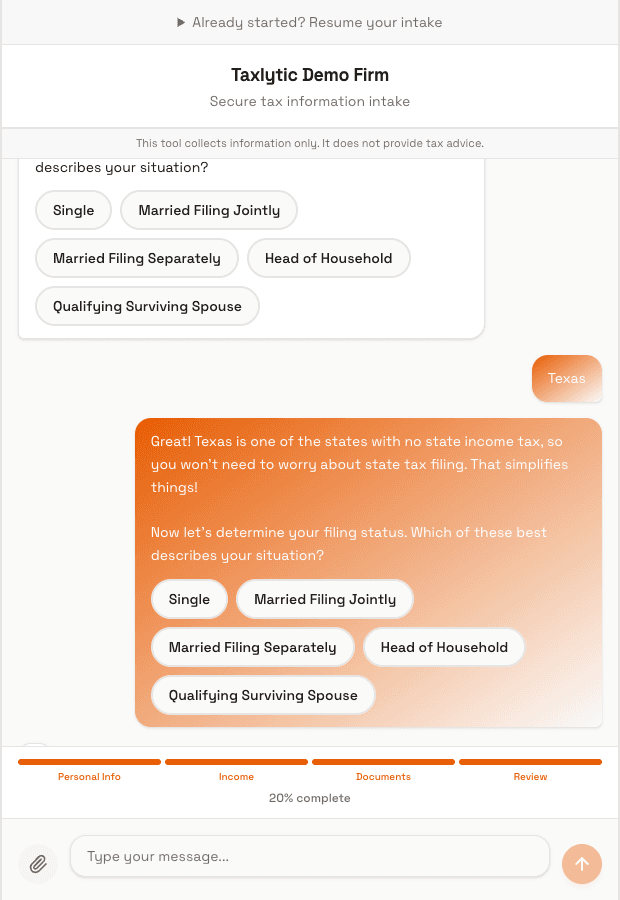
For certain questions, the AI presents clickable option buttons instead of requiring the client to type. This is used for things like filing status, income types, and yes/no questions. Clients can tap a button or type their answer; both work.
Data structuring
As the conversation progresses, the AI automatically structures and saves data to your dashboard in real time. You do not need to wait for the client to finish; you can watch their data populate as they chat. All data is organized into categories: personal info, income sources, deductions, dependents, and uploaded documents.
Session states
Each client intake session goes through these states:
- Active - The client is currently chatting with the AI.
- Submitted - The client has finished and submitted their intake.
- Reviewed - You have reviewed the submitted data.