Client Detail Page
Click on any client from your Clients list to view their detail page. This is where you review all the structured data the AI has collected, see uploaded documents, and add your own notes.
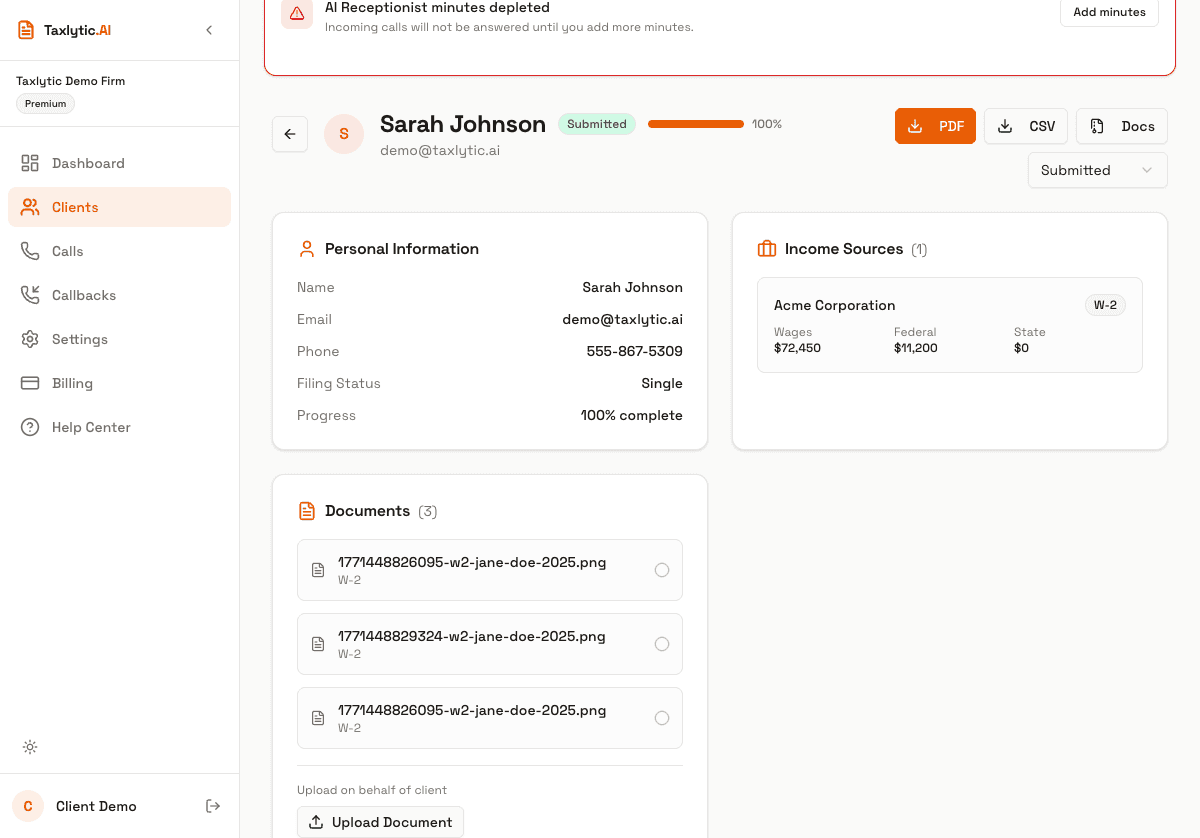
Personal information
The first section shows the client's personal details collected during the AI chat:
- Full name, email, phone number
- Filing status (single, married filing jointly, etc.)
- Date of birth, Social Security number (last 4 digits)
- Address information
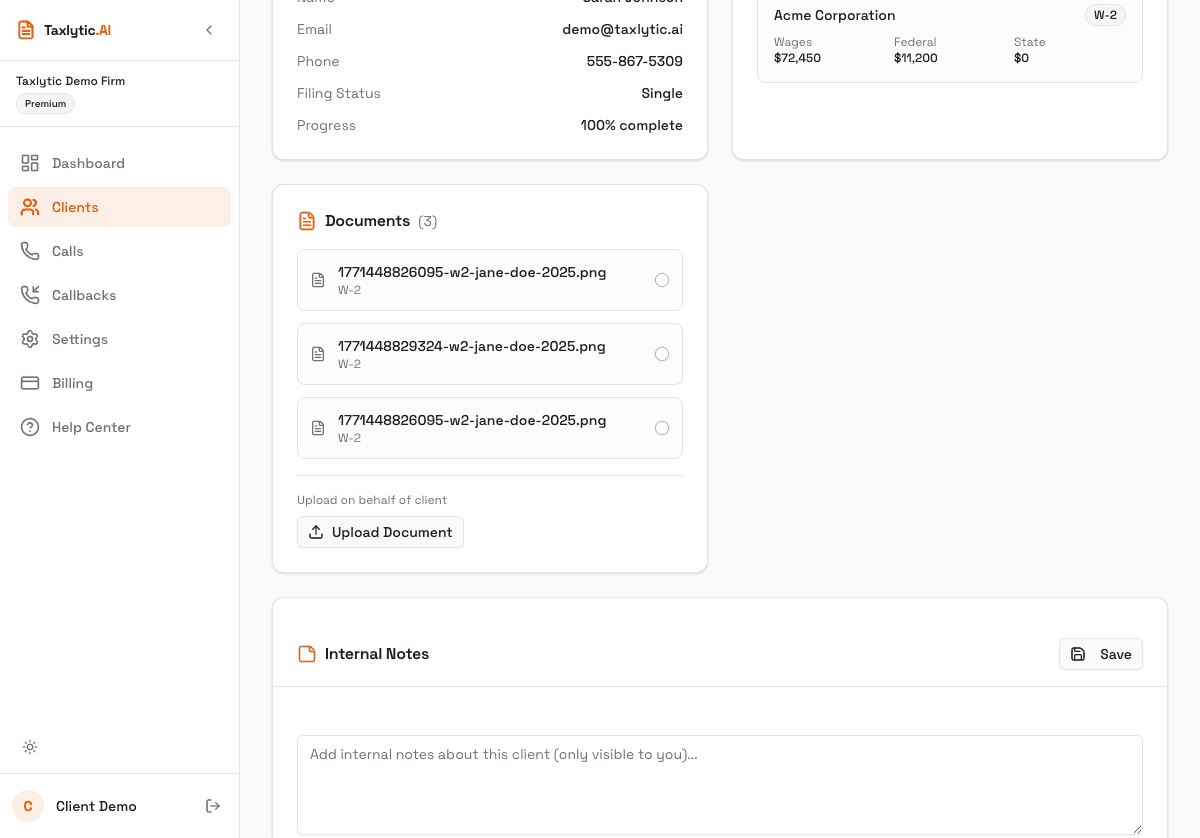
Income sources and deductions
Below personal info, you will find sections for each type of tax data collected:
- Income Sources - W-2 wages, 1099 income, self-employment, investments, and other income types organized by category.
- Deductions - Mortgage interest, student loans, charitable donations, medical expenses, and other deduction categories.
- Dependents - Information about any dependents the client reported.
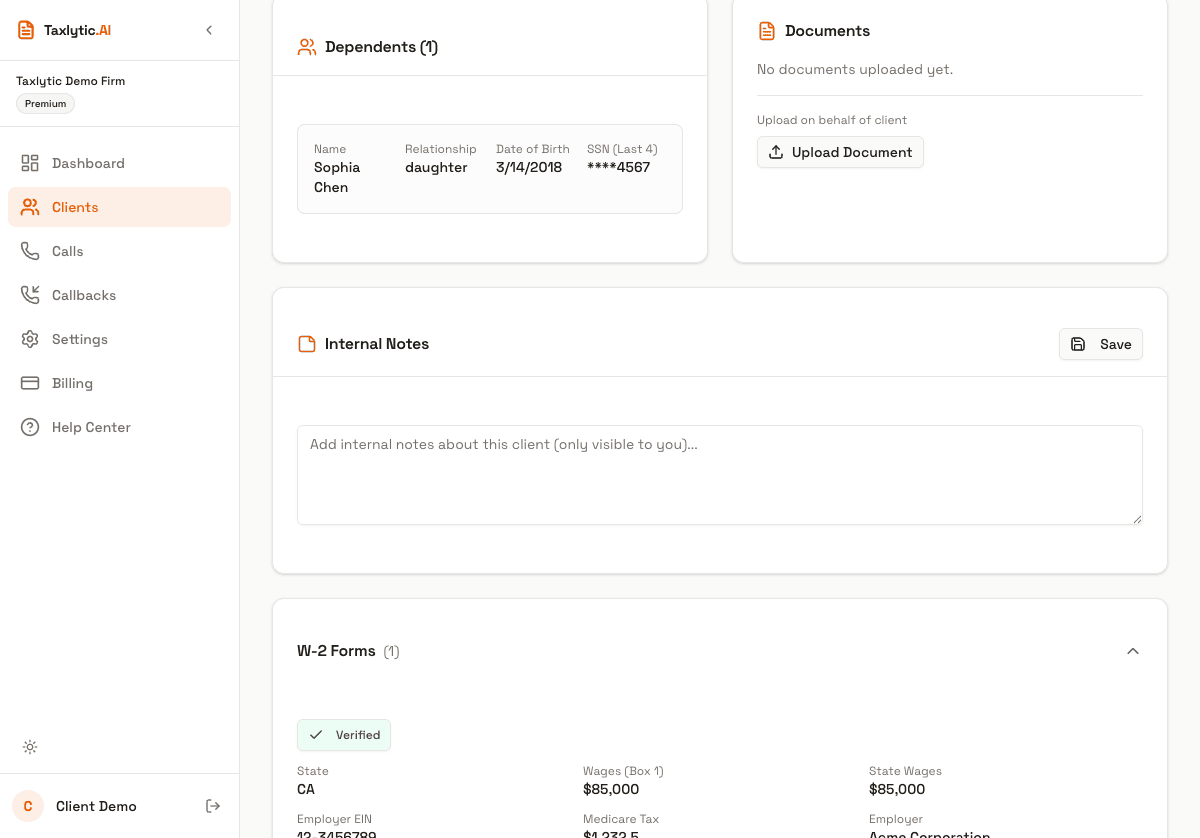
Uploaded documents
The Documents section shows all tax documents the client uploaded during their chat (W-2 photos, 1099 forms, etc.). Each document shows the extracted data alongside the original image. You can click on any document to view the full-size image.
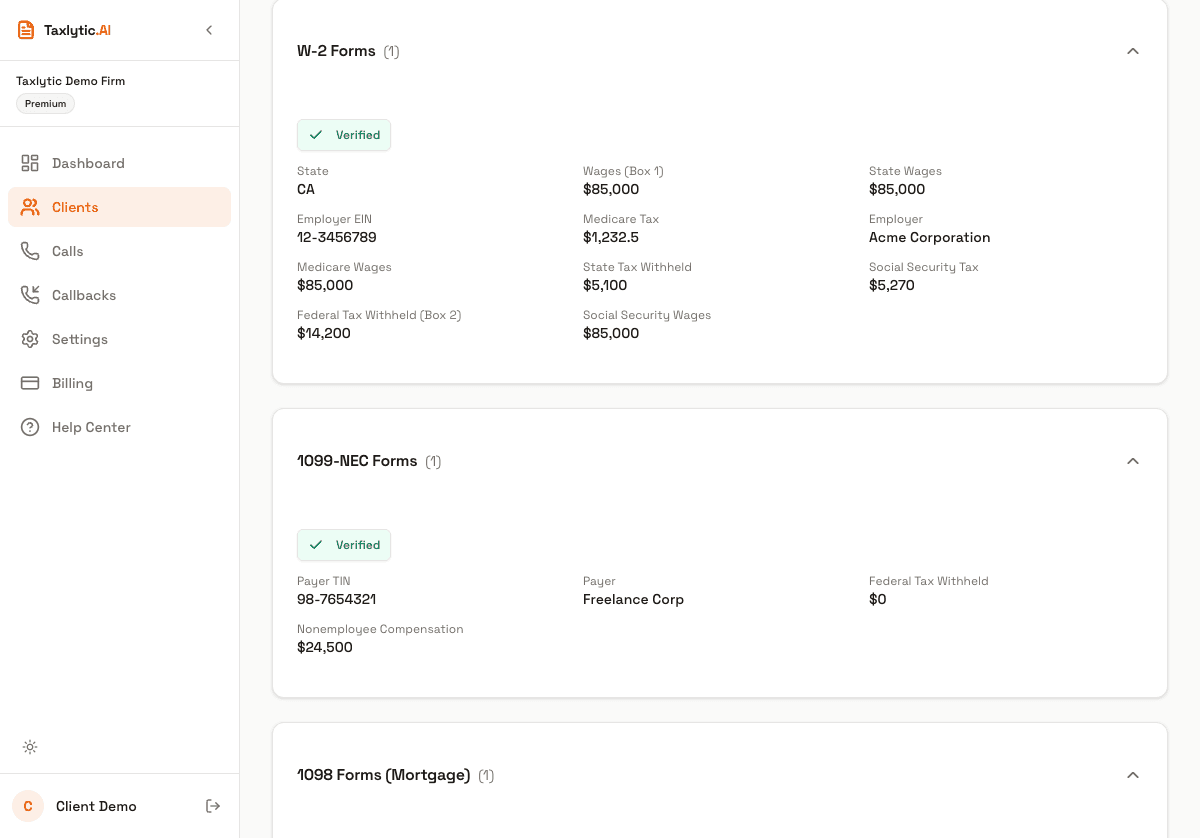
Preparer notes
Use the Notes section at the bottom of the client detail page to add your own observations, reminders, or follow-up items. Notes are only visible to you and are not shared with the client.
Call history
If the client has had any phone interactions through your Voice Receptionist, the call history section shows those calls with links to transcripts.