Document Upload and Extraction
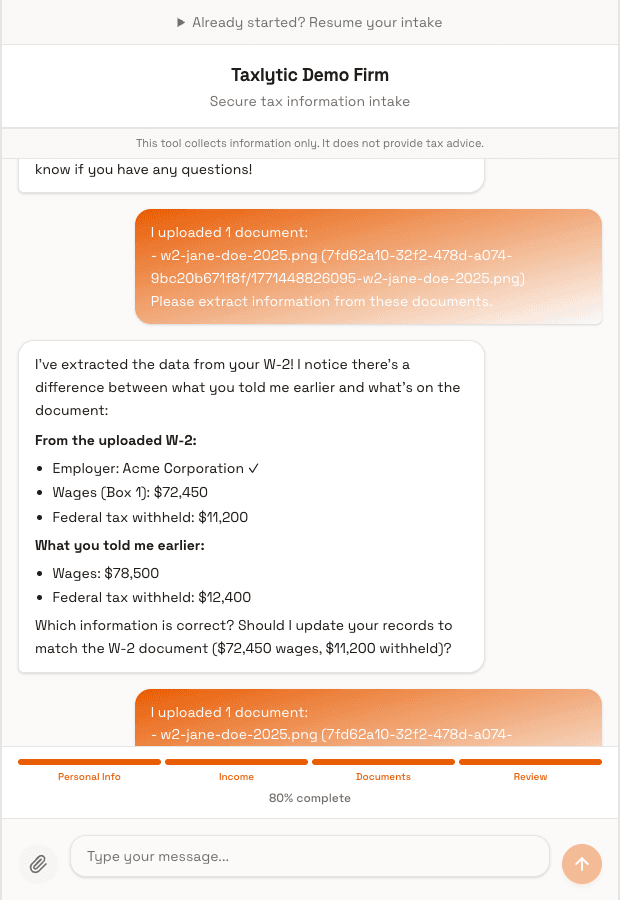
One of Taxlytic's most powerful features is automatic document extraction. Clients upload photos of their tax documents during the chat, and the AI reads and extracts the data automatically.
How it works
- During the AI chat, the client is prompted to upload relevant tax documents (W-2, 1099, etc.).
- The client taps the upload button and either takes a photo with their phone camera or selects a file from their device.
- The document is uploaded securely and stored in encrypted storage.
- The AI uses vision technology to read the document and extract all relevant data fields.
- The extracted data is saved to the client's record and appears on their detail page in your dashboard.
What the AI extracts
The AI extracts different fields depending on the document type. For each supported form, it reads all the key fields that you would need for tax preparation. The extracted data is structured and organized by category in the client detail page.
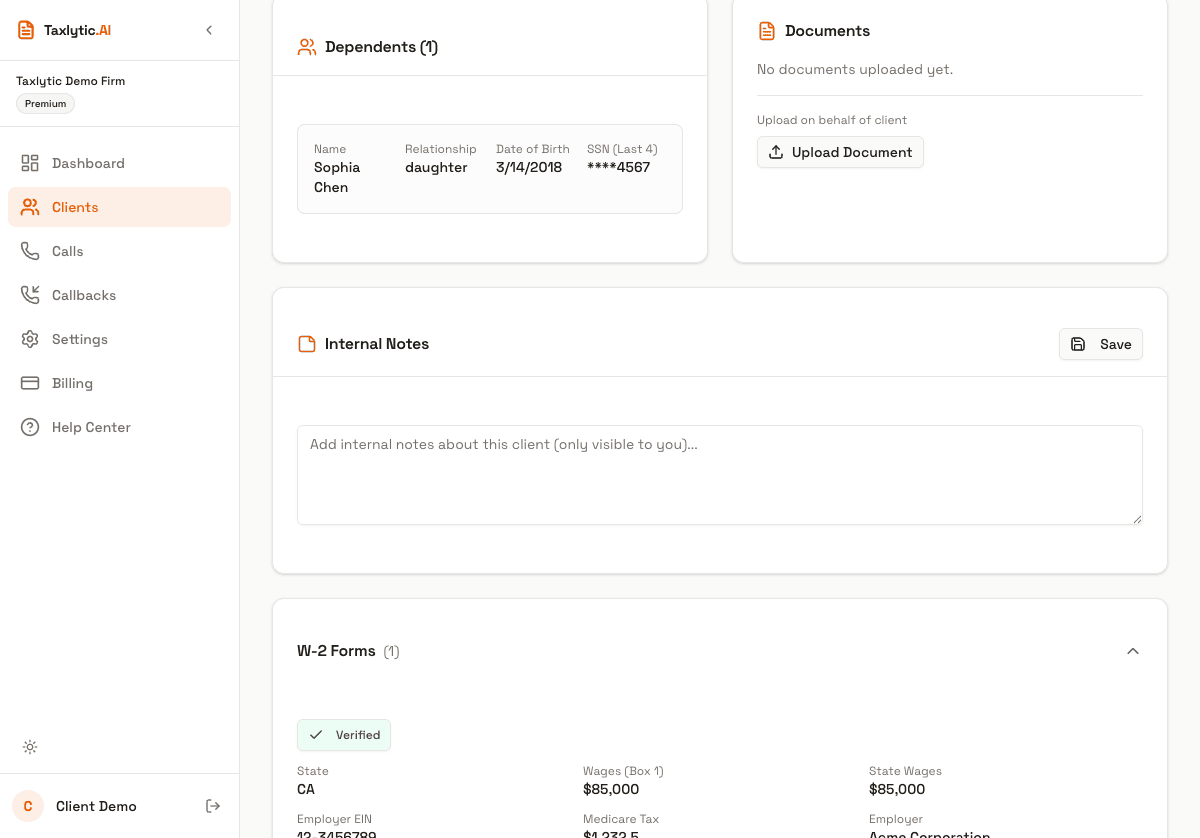
Photo quality tips
The accuracy of extraction depends heavily on photo quality. Share these tips with your clients:
- Place the document on a flat, well-lit surface
- Make sure the entire document is visible in the frame
- Avoid shadows, glare, and reflections
- Hold the camera directly above the document (not at an angle)
- Use the highest resolution available on the camera
Reviewing extracted data
All extracted data appears on the client's detail page alongside thumbnails of the original documents. You should always review the extracted data for accuracy, especially for handwritten or poor-quality documents. The original document images are always available for reference.