Security
Keep your account secure with a strong password and understand how Taxlytic protects your data.
Changing your password
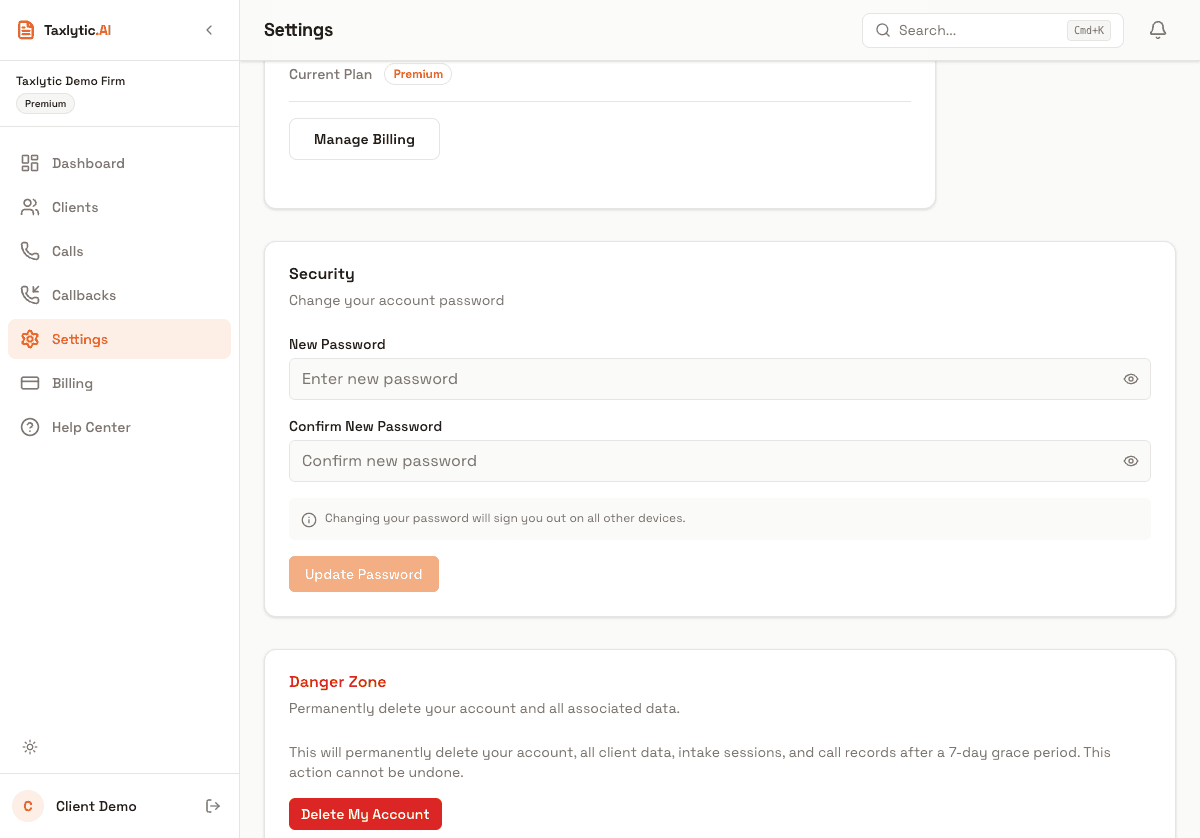
To change your password, scroll down on the Settings page to the "Change Password" section. Enter your new password and confirm it.
Resetting a forgotten password
If you have forgotten your password, click "Forgot password?" on the login page. Enter your email address and you will receive a password reset link. Click the link to set a new password.
Data protection
Taxlytic takes data security seriously:
- Encrypted in transit and at rest - All data is encrypted using TLS during transmission and AES-256 at rest.
- Row-level security - Database policies ensure that you can only access your own clients' data. Other preparers cannot see your data.
- Secure document storage - Uploaded tax documents are stored in an encrypted cloud storage bucket with access controls.
- Session-based authentication - Sessions are managed securely with automatic token refresh and expiration.
Deleting your account
If you need to delete your account, scroll to the bottom of the Settings page and click "Delete Account." You will be asked to confirm by typing your email address.
Warning: Account deletion is permanent and cannot be undone. All your client data, intake sessions, documents, and settings will be permanently removed. Make sure to export any data you need before deleting your account.