Profile and Branding
Your profile settings control how your practice appears to clients. Keep this information up to date to ensure a professional experience.
Editing your profile
Navigate to Settings in your dashboard sidebar. The General tab shows your profile fields:
- Name - Your display name shown on the dashboard and in client communications.
- Firm Name - Shown in the intake page header when clients visit your link.
- Email - Your login email and where notifications are sent.
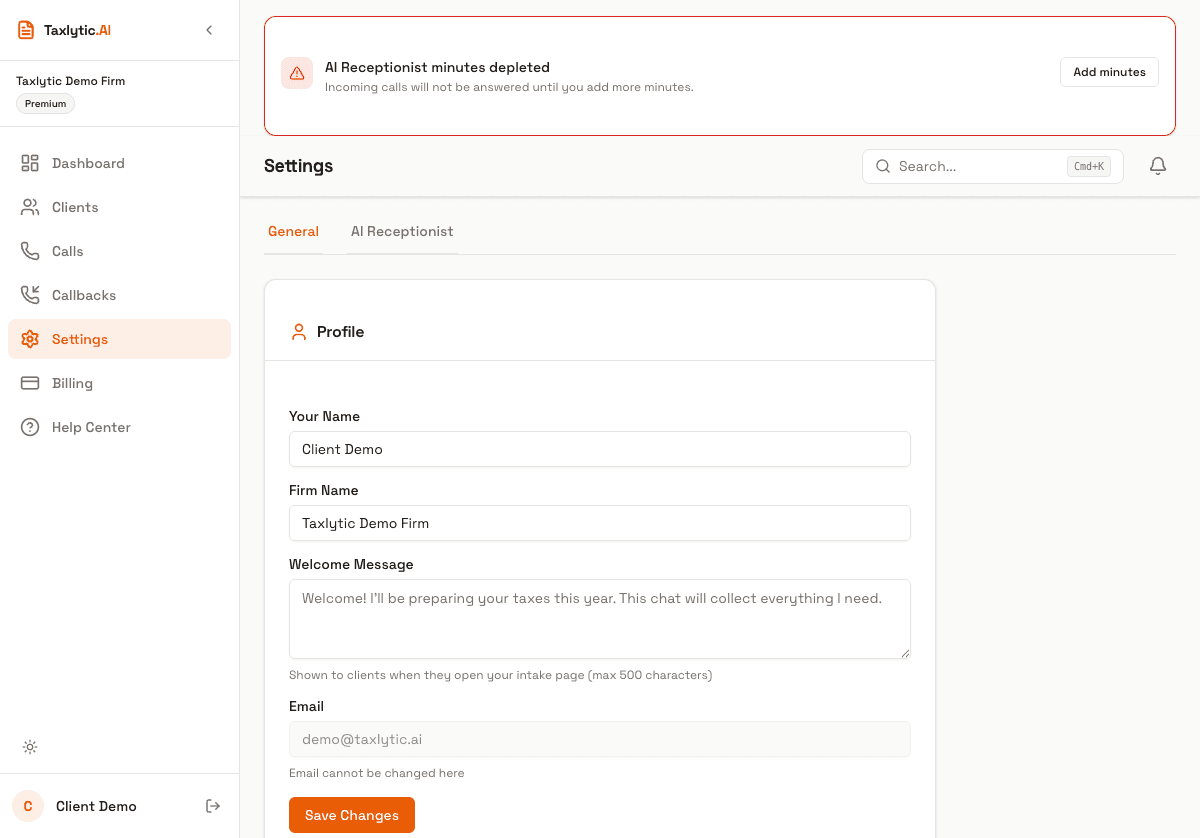
Welcome message
The welcome message appears at the top of every client chat session before the AI starts asking questions. Use it to set expectations and build trust with your clients.
Tip: A good welcome message is 2 to 3 sentences. Include your firm name, what the client should expect, and reassurance about data security.
Your intake URL
Your branded intake URL is based on the subdomain you chose during signup. It is displayed in your settings for easy reference and copying. Share this URL with clients to start their intake process.
Note: Your subdomain cannot be changed after signup. If you need a different subdomain, please contact support at support@taxlytic.ai.