Set Up Your Profile
Your profile determines how your practice appears to clients. Take a few minutes to customize it so clients see your brand, not a generic interface.
Your practice details
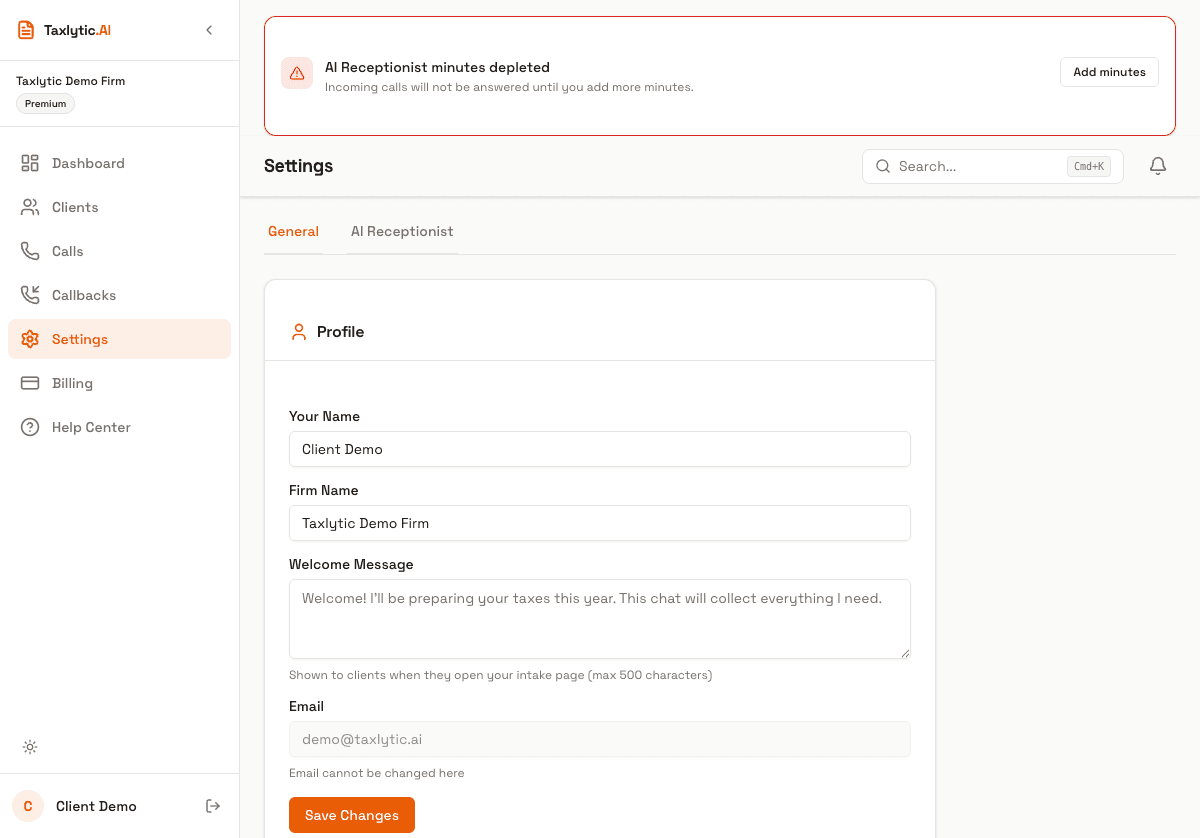
Navigate to Settings in your dashboard sidebar to update your profile at any time. The General tab shows your core practice information:
- Name - Your display name that appears in the dashboard and client communications.
- Firm name - Your business name shown on the client intake page header.
- Email - The email address associated with your account.
Customize your welcome message
The welcome message appears at the top of every client chat session. This is your opportunity to set expectations and make clients feel comfortable. A good welcome message explains what to expect and reassures clients that their information is secure.
You can customize this in the Settings page under the General tab.
Your branded intake URL
Your subdomain was chosen during signup and creates your unique intake URL. For example, if your subdomain is "smithtax", your clients visit:
smithtax.taxlytic.aiThis is the link you share with clients via email, text, or your website. When they visit it, they see your firm name and welcome message before starting the AI chat.
Next steps
With your profile set up, you are ready to invite your first client. See Invite Your First Client to learn how.